WhatsApp Chat Analyzer: Your WhatsApp Wrapped and Chat Stats
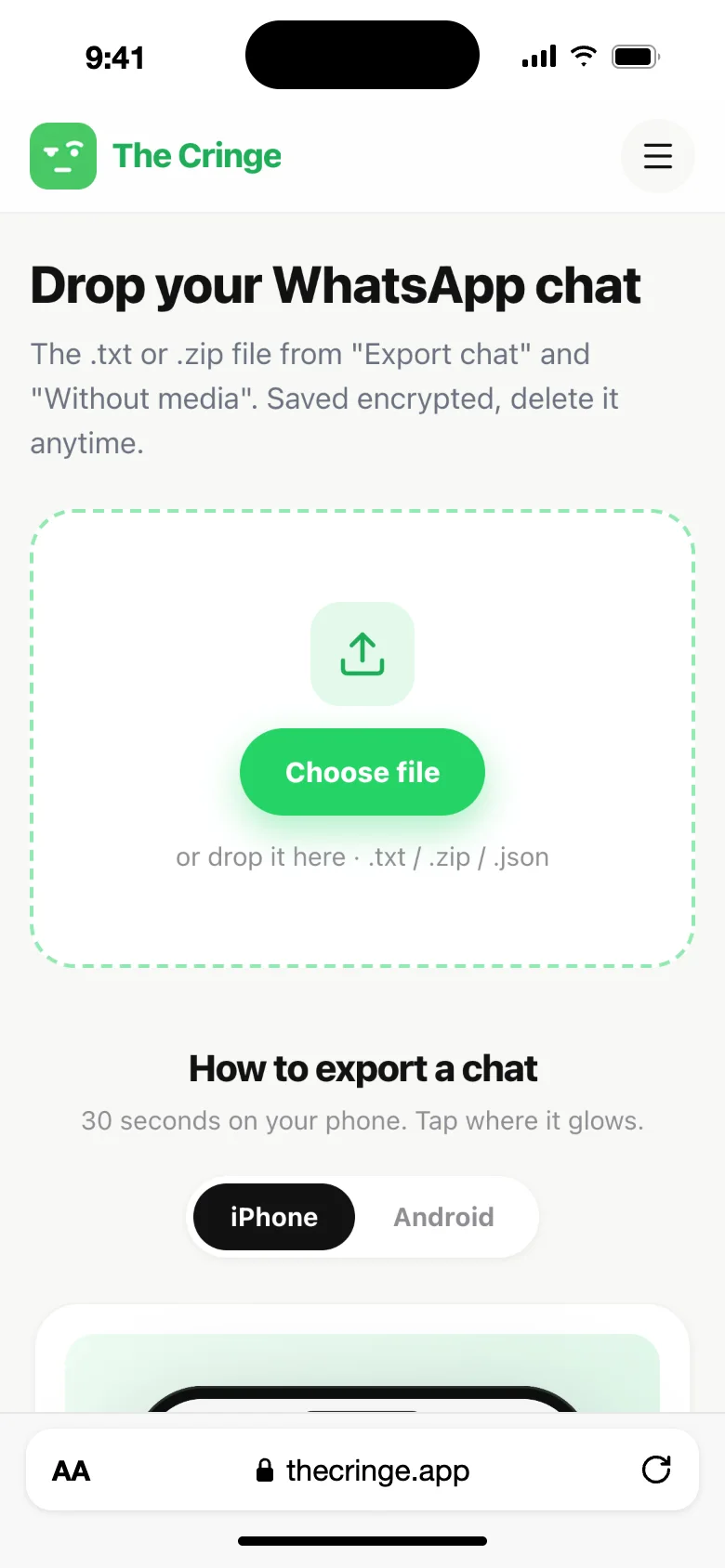
Short answer: to analyze a WhatsApp chat, open the chat on your phone, tap Export chat and choose Without media. Then upload the .txt or .zip file in the box at the top of this page. In a few seconds you see who sent more messages, who texts first, how fast each of you replies, your most used words and how many messages were deleted. The AI report adds an interest level for each person, attachment styles, red flags with real quotes and a final verdict.
What the WhatsApp chat analyzer shows you
You know the feeling. You read the chat again and again, and you still can't tell if they care as much as you do. Your friends say "they're just busy". Maybe. But the chat itself has the answer, in numbers.
The Cringe reads the whole export and counts every message. No guessing, no "it feels like". It works with 1-on-1 chats only, because that is where the real questions are: does this person like me, am I always the one texting first, why do they take hours to reply?
It is a separate tool, not part of WhatsApp, and it is not affiliated with WhatsApp or Meta.
How to export a WhatsApp chat
WhatsApp has an Export chat option in every chat. It saves the messages as a text file. Always pick Without media: the analyzer only needs the text, and the file stays small.
On iPhone:
- Open the chat and tap the person's name at the top.
- Scroll down and tap Export Chat.
- Choose Without Media.
- Tap Save to Files (or AirDrop it to your Mac). You get a .zip file.
On Android:
- Open the chat and tap ⋮ in the top right corner.
- Tap More, then Export chat.
- Choose Without media.
- Save the .txt file to your phone, Google Drive or email it to yourself.
The steps next to the upload box show each screen with the exact button to tap. Our full WhatsApp export guide also covers older phones and tablets.
Upload the file and get your report
- Use the upload box at the top of this page and choose the file. You don't need to unzip anything.
- Pick which name is you.
- Tell us who the other person is to you: a crush, a situationship, a partner, an ex or a friend.
- Your report is ready in a few seconds.
| What you have | What to do |
|---|---|
| The .zip from iPhone | Upload it as it is |
| The .txt from Android | Upload it as it is |
| An export "With media" | It works, but the file is much bigger. Export again "Without media" if the upload is slow |
| A WhatsApp backup (msgstore, .crypt) | It is locked and can't be read. Use Export chat instead |
| A group chat | Not supported, only 1-on-1 chats work |
It reads exports from phones in any language, with any date format.
What the WhatsApp chat report shows
For each of you, side by side:
- Messages sent: the total count for each person
- First message date: when it all started, and how long ago that was
- Average reply time: who keeps who waiting
- Who texts first: who starts the conversation after a few hours of silence
- Longest message: who writes the long ones
- Top words: the words each person uses most
- Deleted messages: how many messages each of you sent and then deleted
The AI report reads the tone, not just the numbers:
- An interest level for each person, from 0 to 100
- Attachment styles (secure, anxious or avoidant)
- Red flags, with real quotes from your chat
- A final verdict on what is going on
Read more about how the AI part works on the AI relationship analyzer page.
Price: uploading your chat and getting the report is free, with no sign-up. The results are shown in full with Premium. See pricing.
Your WhatsApp Wrapped, any time of the year
WhatsApp doesn't make a yearly "Wrapped" like Spotify. This report is the closest thing: your chat with one person in numbers, ready to screenshot. You can make it any day, not just in December. More on that in WhatsApp Wrapped.
On a laptop? Skip the export
If you use WhatsApp Web, the Chrome extension adds "Analyze with The Cringe" to the menu of every chat. One click, no export and no upload, and you get the same report.
Is the WhatsApp analyzer private?
- The stats are made in your browser.
- We save an encrypted copy of the chat you upload, so you can reopen your report later. You can delete it any time in My reports.
- For the AI report, a sample of messages goes to our AI provider, with phone numbers, emails and links removed.
- Exporting a chat doesn't tell the other person, and The Cringe never contacts anyone.
- We never sell your chats.
How to read your WhatsApp chat stats
- Reply time depends on the person. Some people answer everyone slowly. Our guide on what reply time really means explains the common patterns.
- Who texts first matters more than the message count. Read who texts first and what it says.
- Look at weeks, not one evening. A slow night is not a pattern. If you feel left on read, check the trend.
- Deleted messages are not always drama. Typos get deleted too. Our guide to deleted WhatsApp messages has the details.
Other chats you can analyze
- Snapchat: download your chat history from My Data. See the Snapchat chat analyzer.
- Instagram: see the Instagram DM analyzer.
- Messenger, Telegram and iMessage: see the Messenger, Telegram and iMessage analyzers.
Comparing tools? Read our honest comparison of WhatsApp chat analyzers.
FAQ
Is the WhatsApp chat analyzer free?
Uploading your chat and getting your report is free, with no sign-up. The full results (message counts, reply times, who texts first, top words, deleted messages and the AI report) are part of Premium.
How do I export a WhatsApp chat for analysis?
Open the chat, tap the person's name (iPhone) or ⋮ then More (Android), tap Export chat and choose Without media. Save the file and upload it on this page.
Does it work with group chats?
No. The Cringe only analyzes 1-on-1 chats, because the questions it answers are about one person: who texts first, who replies faster and who cares more.
Will the other person know I analyzed our chat?
No. Exporting a chat doesn't send anything to the other person, and The Cringe never contacts anyone.
Can it read my WhatsApp backup?
No. WhatsApp backups (msgstore files) are encrypted and can't be read by anyone else. Use Export chat in the chat itself instead.
Does it work on a phone?
Yes. Export the chat on your phone and upload it right away in your phone's browser. No app to install.
Can I see deleted WhatsApp messages with it?
No. The report counts how many messages were deleted ("This message was deleted"), but nobody can bring back their text from an export.
What is the difference with the Chrome extension?
Same report, two ways in. On this page you upload an exported chat. With the Chrome extension you click once inside WhatsApp Web, with no export needed.